
Recruitment Website Design: How to Build and Own It Yourself
Recruitment website design used to mean commissioning an agency or renting a template platform. In 2026 there is a third option: you describe the site to an AI coding assistant, hold the code yourself, and change anything on it the same day. I rebuilt all 51 pages of recruitergtm.com that way in a day, and I am not a developer.
By Reyhan Khan, CEO & GTM Systems Architect at RecruiterGTM. Four years building recruitment systems, eight in GTM overall, and 650+ recruitment agencies audited in the last three years.
Key takeaways
- The real cost of an outsourced site is that you stop making changes. The invoice is the part you can see.
- Keep your colours and fonts in one settings file every page reads from. Changing it re-skinned all 51 of my pages, and I never opened most of them.
- Install the four free design skills so Claude reviews your design against a real standard.
- Ask for three named design directions and pick one. Choosing beats describing.
- Port your existing copy word for word, or you lose the search positions you already have.
Six words you will meet in this guide
- Repo (short for repository)
- The folder holding your website's files, plus a complete history of every change ever made to it. Track changes, for your whole site.
- Branch
- A private copy of your entire website that only you can see. Change anything on it; the live site carries on untouched until you choose to publish.
- Commit
- A saved checkpoint with a short note saying what you changed. The history is just a list of these.
- Design tokens
- Your colours, fonts and spacing written down in one file. Every page looks them up there, so no page carries its own copy.
- Deploy
- Publishing. Building your new version and putting it online.
- 404
- The page-not-found error. It becomes useful later as a way to check whether your new site is genuinely live.
What is a recruitment website, and what changed in 2026?
A recruitment website is the site an agency uses to win clients and attract candidates: service pages, proof, an application route, and a way to book a call. What changed in 2026 is the cost of editing one. Writing and changing a modern site used to need a developer, so the practical model was to pay someone to build it and pay again for every edit.
AI coding assistants now handle the code itself, which moves you from requesting changes to making them. Be precise about what changed: knowing what a good page looks like is still your job. Typing the code is the part that became cheap.
What is your website actually built on?
Your website runs on one of a handful of platforms, usually WordPress, Wix, Squarespace, Webflow, Shopify or custom code, and which one decides whether you rebuild in place or move first. Some hand you your files, so Claude can work on the site you already have. Others never let you have them, so the honest answer is to rebuild elsewhere and point your domain at the new one.
| If you are on | Your route | Why |
|---|---|---|
| WordPress, self-hosted | Rebuild it in place | You own every file |
| WordPress.com, Business plan or above | Rebuild it in place | File access included |
| WordPress.com, cheaper plans | Move first | No real file access |
| A coded site (Next.js, Astro, plain HTML) | Rebuild it in place | The straightforward case |
| Webflow, paid plan | Export, then rebuild | Design code exports. Blog content and forms do not |
| Wix | Move. There is no export | No native code export exists. The visual design can be rebuilt elsewhere; Wix's own custom code and any forms cannot |
| Squarespace | Move. There is no export | Content exports. Design and anything dynamic does not |
| Shopify | Theme yes, shop no | Theme exports. Products, checkout and orders are a separate job |
If your row says move, the platform simply never gave you the files to own. You have been renting a website all along. Pointing an existing domain at a new site is a standard change your registrar handles, and your web address does not change.
If you are moving, what should you move to?
Next.js for the framework, Tailwind for styling, Vercel for hosting, GitHub to hold the code and its history, and Claude Code to do the writing. That is exactly what recruitergtm.com runs on. Every piece is free at the scale an agency site operates at, apart from the Claude subscription and a commercial hosting plan.
| Tool | What it is | Why this one |
|---|---|---|
| Next.js | The framework the site is built with | Free. What serious product teams use. Fast, and built to be found in search |
| Tailwind | How it is styled | Free. What lets your colours and fonts live in one settings file |
| Vercel | Where it is hosted and published | Publishes automatically on every change. Hobby plan is free for personal and internal use; a commercial site needs their paid plan, so check their pricing page |
| GitHub | Where the code and its full history live | Free for a private repo. Your backup, and how your team gets access |
| Claude Code | The part that writes and changes it | Removes asking a developer for every edit. A paid plan is required |
You only need their names. That is what you tell Claude to build with.
What did the rebuild actually look like?
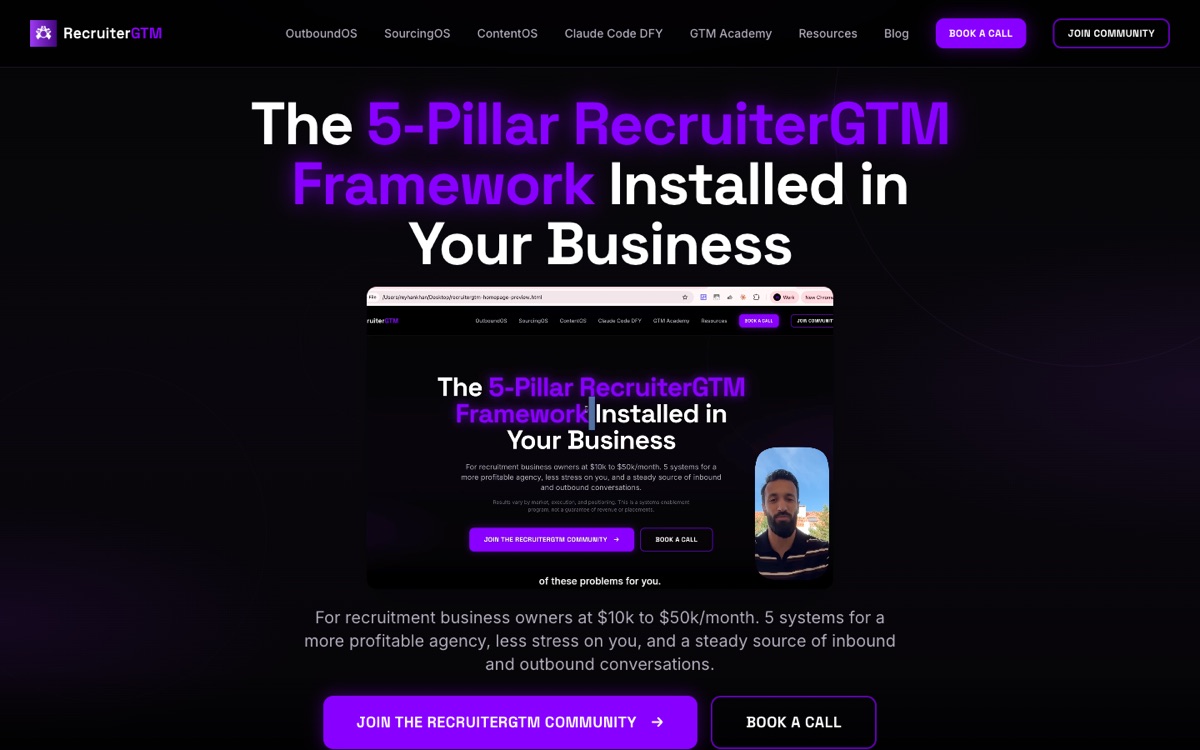
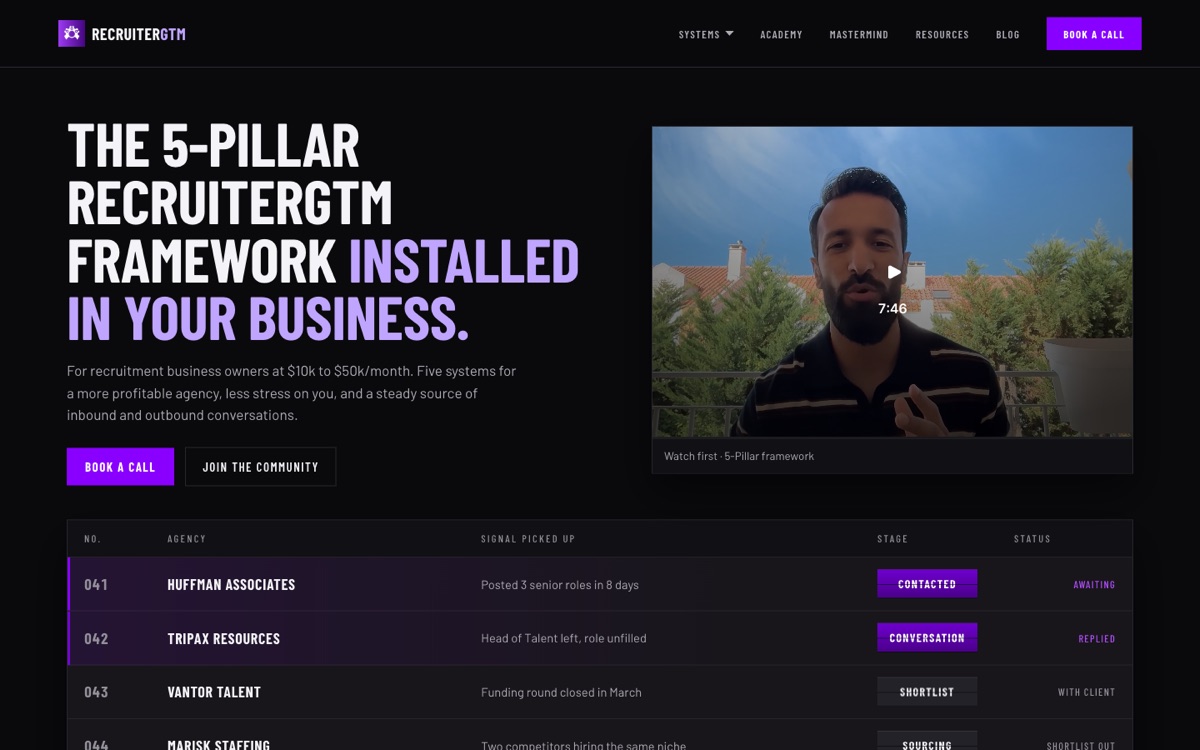
The rebuild kept every word, offer and web address the same and changed only the visual system: the headline moved from centred to left-aligned condensed capitals, buttons went from rounded to square, the purple glow came off the background, and a live board replaced a block of text below the fold. Below is the same homepage before and after, my site as it stood in August 2026 on the left and what is live now on the right.
Homepage
OutboundOS page
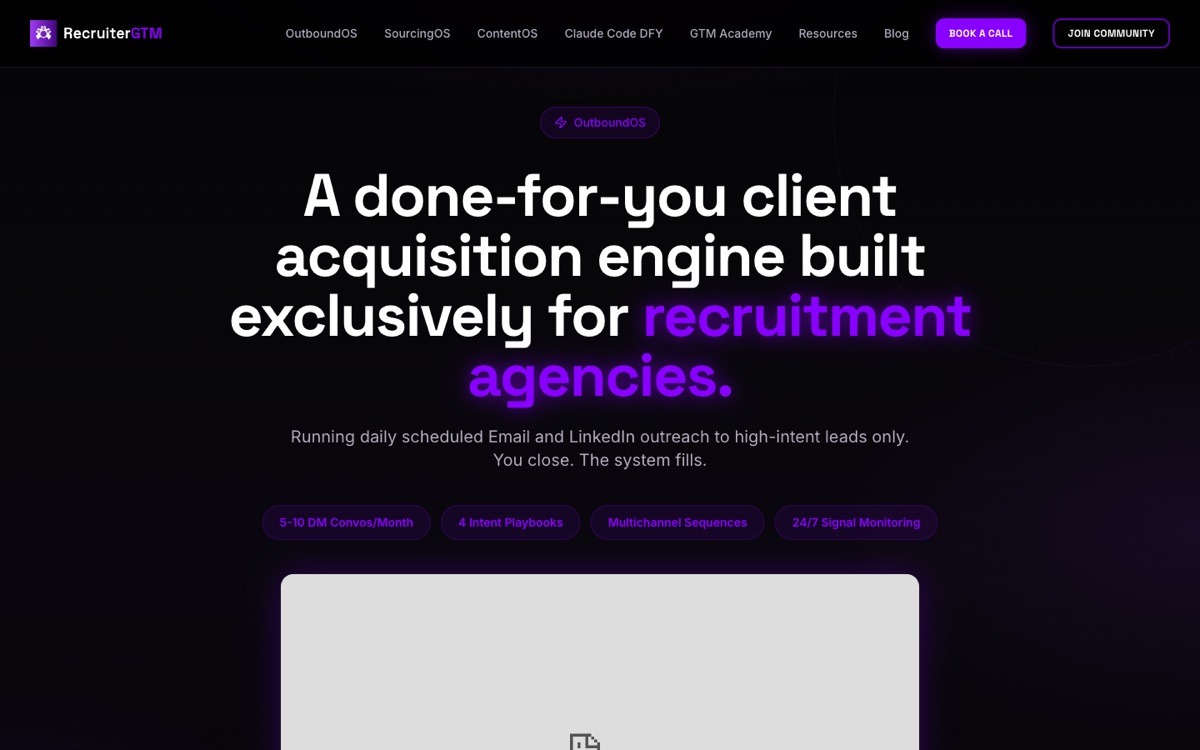
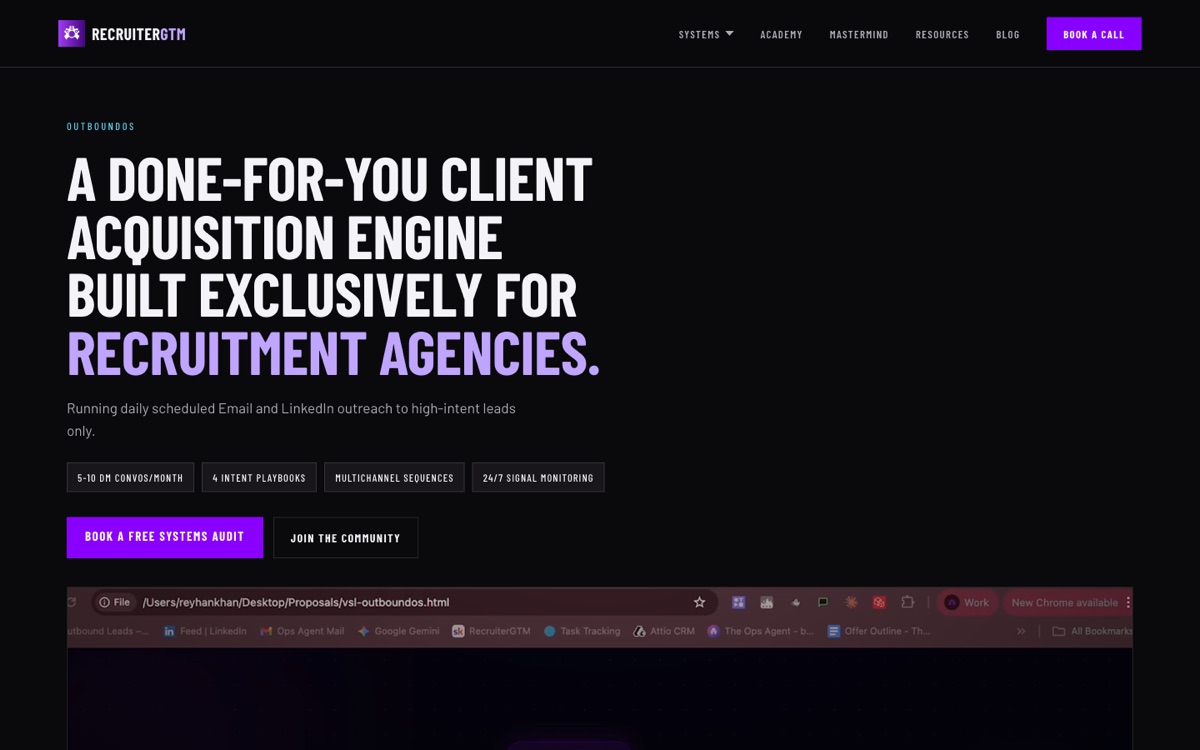
SourcingOS page
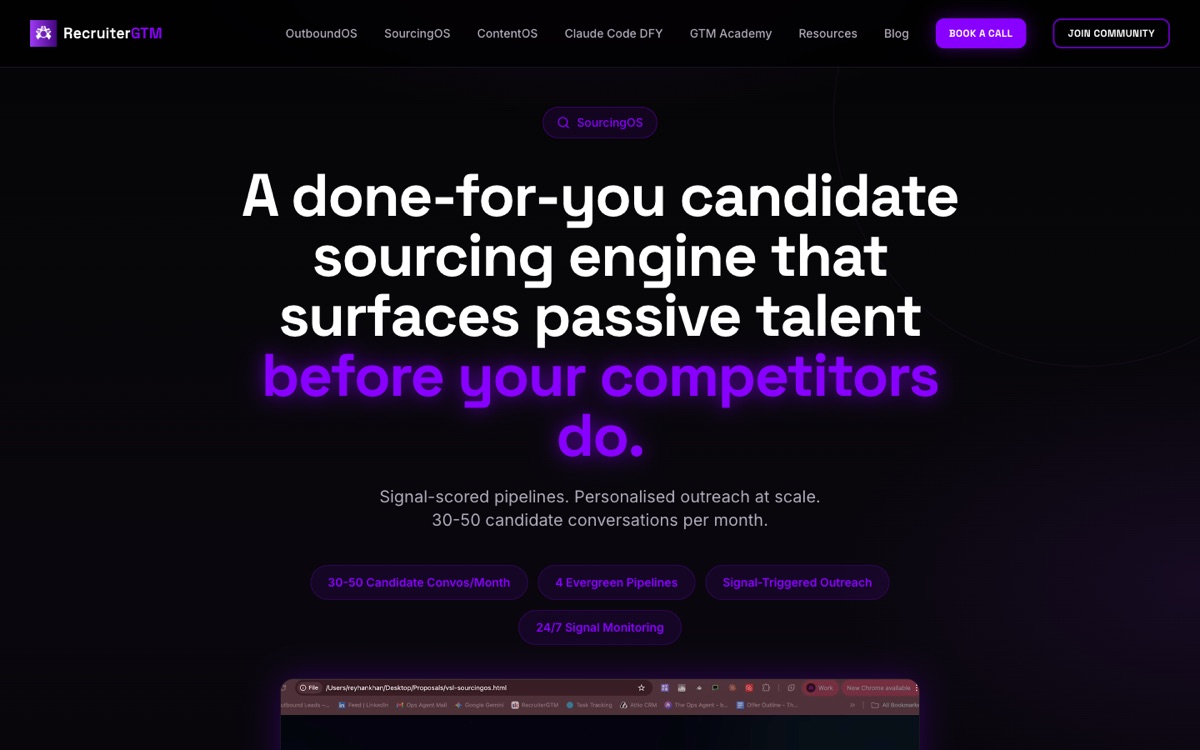
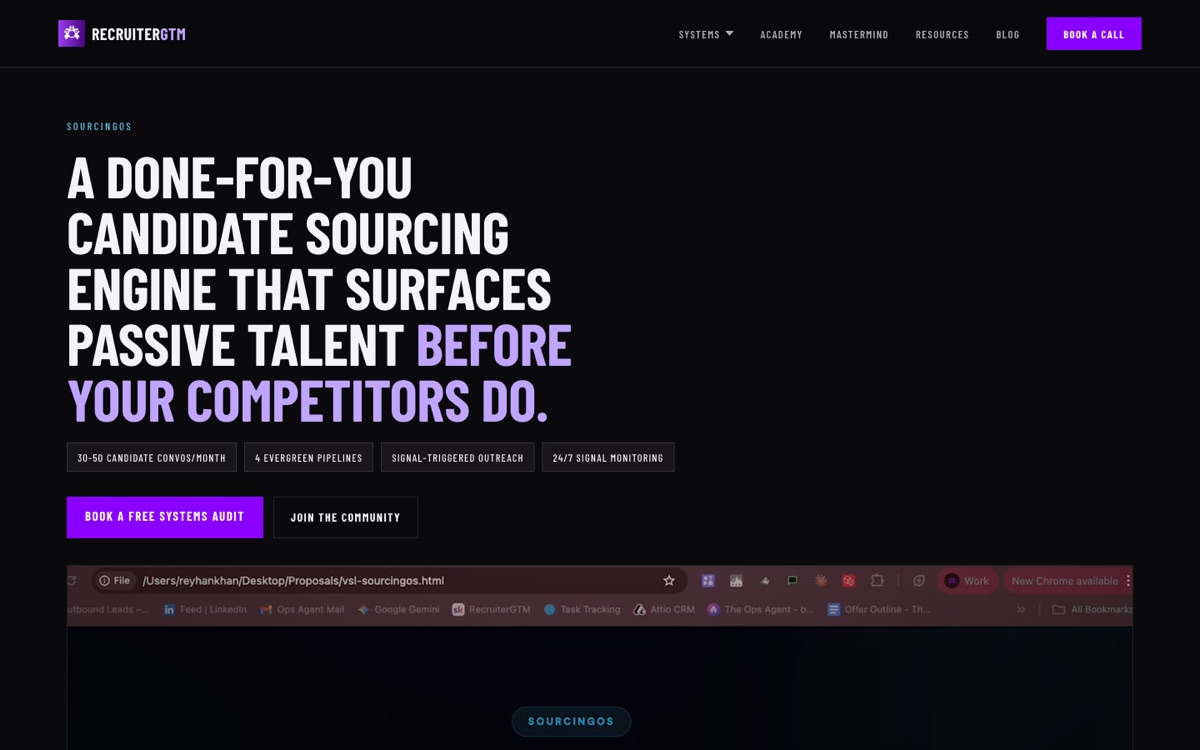
None of that was done page by page. The colours, the fonts and the corner shapes were changed in one settings file, and every page on the site followed. That is the idea in Step 4, and it is why a rebuild this size took a day.
How do you redesign a recruitment website yourself?
Seven steps, and the order matters: the first three decide how much work the rest are. Most people skip to step four, which is why their rebuild takes months and still looks like a template.
Step 1. Get the site into a repo on your own machine
Your website is a folder of files, and right now it most likely sits on somebody else's computer. That is exactly why you have to ask them whenever you want a word changed.
Get that folder onto your own machine and into a repo: the same folder plus a complete history of every change, who made it, and a button to undo any of it. Then keep a copy online on GitHub, which is your backup and how anyone else on your team can work on the site. Do this on day one. Mine sits on one Mac with no online copy, which is the one thing I would do differently.
Here is the prompt. Fill in the two bracketed lines and paste the whole thing into Claude.
I have a website I want to take ownership of and start editing myself.
I am not a developer, so explain each step in plain English, and stop and
wait for me after each one.

My situation:
- My site is currently on: [WordPress / Webflow / Wix / Squarespace / a coded site / I am not sure]
- The files are at: [a folder on my computer / a hosting account / I do not know]

Please:
1. Tell me whether I can take these files and own them, or whether I need to
   rebuild elsewhere first. Be honest if the answer is that I have to move.
2. If I can own them, put the folder under version control and walk me through
   creating a PRIVATE repo on GitHub and pushing it there.
3. At the end, show me the history, and show me how to undo a change.
Step 2. Install the design skills, so the assistant has taste to borrow
Claude writes good code by default. It has no design judgement by default. You give it some with skills: folders of written instructions it reads before starting. Think of it as handing a competent builder a style guide written by an architect. You download the folder, drop it into your skills folder, and there is nothing to configure. All four are free and open source.
| Skill | What it does | Where |
|---|---|---|
| impeccable | Design and build skill with review agents and a detector that flags generic, AI-looking output | github.com/pbakaus/impeccable |
| taste | Point it at any site and it extracts the real design settings plus the reasoning behind them | github.com/senlindesign/taste-skill |
| color-expert | Contrast checking, colour spaces, palettes that survive a dark background | github.com/meodai/skill.color-expert |
| Design engineering pack | Restraint, motion, and interface detail, drawn from Emil Kowalski's work | emilkowal.ski |
That first one includes a detector you run against any page to flag the generic, obviously-AI-made look. It is why I trust the output, because it gives you something to argue with other than your own eye at 11pm.
Step 3. Choose a design direction, and give it a name
Ask for three complete directions, each with a name and a world behind it, then pick one. Mine is called Signal and the world is an airport gate board: slate and ink, split-flap type, one violet for the primary action. Naming the world makes every later decision quick, because choosing a button shape becomes "would this be on a gate board?"
Give me THREE complete design directions for my recruitment website. Not one.

For each direction, tell me:
- a name, and the world it comes from
- the palette, and what each colour is used for
- the typography
- one thing this direction would never do

My agency: [what you place, and who for]
Who visits the site: [clients, candidates, or both]

Describe all three in words first. Do not write any code yet. I want to
choose before anything gets built.
Step 4. Keep your colours and fonts in one file
This is the single most useful idea in the process and it is simpler than it sounds. Your colours and fonts belong in one file that every page looks up, instead of each page keeping its own copy. Those stored settings are called design tokens, and a token is just a named setting.
So instead of fifty pages each saying "this heading is purple, specifically #8A00FF", every page says "this heading uses the brand colour", and one file says what that is. Change the file, and all fifty change with it.
Move every colour, font, spacing value and corner radius used anywhere on my
site into ONE settings file, and make every page read from that file instead
of keeping its own copy.

While you do it:
- check every colour pair for contrast, and tell me any that score under
  4.5 to 1 when used as body text
- tell me how many files you had to touch

When you are done, change one colour in that file so I can watch every page
follow, then change it back.
51 pages, each looking up the same settings. Change the box at the top and every square below it changes.
All 51 pages of my site changed appearance through two saved checkpoints three minutes apart, and I never opened most of them. The first changed fonts, colours and corner shapes and removed the old glow effects. The second changed the header, footer and buttons. That was the whole re-skin.
While you are in there, check your brand colour works as text. Readability is measured as a ratio, and anything under 4.5 to 1 is too hard to read as body text. My brand purple scores 3.3 to 1 on dark. It fails, and you can see it failing:
So the brand purple became a fill colour for buttons and panels only, and a lighter version of it does all the text. Your brand colour is not automatically a text colour, and almost nobody checks.
Step 5. Build on a branch and review it locally
Work on a branch. Run it on your own laptop, at an address nobody else can open, and walk through every page at your own pace with nothing touching the live version.
This is where you find out what Claude is genuinely good at. My old design had 96 pill-shaped elements across 39 files that needed squaring. But 42 other elements were real circles: avatars, status dots, icon wells. An ordinary find-and-replace would have squared all 138 and turned every profile photo into a box. What Claude wrote instead tested whether each one had the same fixed width and height, which is what makes a circle a circle, and left those alone. Two days of a developer's time, from one instruction.
Step 6. Port your existing copy word for word
A re-skin changes the formatting and leaves the words alone. I learned this the expensive way: my first attempt let Claude write fresh copy for three pages and all three were discarded. Your existing copy carries whatever search positions and conversion you have, and rewriting it as a side effect of a visual change is how agencies lose both without noticing.
Step 7. Deploy, then prove it is actually live
Publishing is two separate things and they are easy to confuse. Your new version gets uploaded, then your domain gets pointed at it, and most tools do the first automatically and the second only when told. Check both the plain domain and the www version, which are separate settings.
The check that catches it: open a page that exists only in the new version. A page-not-found error means your domain is still serving the old site, whatever the log says.
Publish the site, then prove to me it is actually live.

After publishing:
1. Tell me which version my domain is currently pointing at.
2. Check BOTH the plain domain and the www version. They are separate settings.
3. Open a page or a phrase that only exists in this new version, and show me
   the result.

If any of those three fail, tell me plainly what is still pointing at the old
version and what to do about it. Do not tell me it worked because the publish
log said so.
This cost me a full publish cycle. My new version uploaded perfectly and even worked on its own temporary address, while recruitergtm.com carried on serving the old one and the log said success throughout. Worse, the plain domain and the www version are two separate settings, so I updated one, saw no change, and could not work out why.
What does recruitment website design cost?
Built this way, the recurring cost is close to nothing beyond a subscription most agency owners running AI tooling already pay for. The one-off cost is your time deciding what the site should say, which is the part no tool removes.
| Item | Cost | Note |
|---|---|---|
| The four design skills | Free | Open source. Download them into your skills folder |
| A paid AI assistant plan | Required | A free tier stops partway through a rebuild this size |
| Framework and tooling | Free | Next.js, Tailwind and similar carry no licence cost |
| Hosting, internal or testing | Nothing | Vercel's Hobby plan covers personal and internal use |
| Hosting a commercial site | Their paid plan | Check Vercel's pricing page for the current figure |
| Deciding what the site should say | Your time | The real cost, and the only irreducible one |
Compare that to the shape of the alternatives: a template platform is a monthly fee for as long as you have a website, and an agency project is a one-off fee plus a change request every time you want a new headline.
What are the pro tips for doing this right?
Build on a branch, review every page before it goes live, set one template per page type and make Claude check against it, and always ask for three design options. Recruitment website design goes wrong in predictable places, and these four cover most of them.
1. Always build on a branch first
Hate what you built? Delete the branch and nothing happened. Never edit the live version directly, however small the change looks.
2. Review every page before it goes live
Run it on your own laptop and click through all of it, not just the homepage. Include the pages you forget you have: the thank-you page, the one you built for a campaign two years ago, the error page.
3. Set a template for each page type, then make Claude check against it
One template for blog posts, one for service pages, one for case studies. Hand Claude the template plus a checklist and have it verify every page against both. That is how you keep fifty pages consistent without reading fifty pages, and what stops page forty looking subtly unlike page four. Make the check mechanical where you can: on our site a card with no summary line now gets blocked automatically before it can go live.
4. Ask for three design options, never one
Apply the same three-options rule from Step 3 to the smaller decisions too: three button styles, three card styles, three heading treatments. Choosing between options is far easier than describing what you want from nothing, and it is the biggest single difference between people who get good results from AI design work and people who do not.
Get the process as a skill you can run
Everything above is written as a skill file you can download and drop into your own Claude. It walks Claude through the seven steps above plus three it adds for setup and verification, covering the settings file, the contrast check, the private copy, the copy-porting rule, and the publish check that catches a domain still pointing at the old version.
The Website Redesign skill, free
One file. Download it, drop it into your skills folder, and ask Claude to redesign your site. It carries the rules behind the process, so Claude stops and asks you before anything that matters.
Download the skill →No signup. Works in Claude Desktop and Claude Code, on any site you own.
Where to go next
Recruitment website design is one piece of a larger shift, and the same approach applies well beyond a website. Recruitment automation tools you can build yourself covers the small internal tools worth owning outright, the 2026 recruitment tech stack covers what to keep buying, and the recruitment agency management system guide covers how the pieces fit into one operation.
Frequently asked questions
Can I build a recruitment website without hiring a developer?
Yes, for a marketing site with service pages, proof and a booking path. You describe what you want to Claude, review what comes back, and hold the code yourself. A complex multi-user portal, a deep ATS integration, or anything carrying compliance obligations still needs a developer.
What website do recruiters use the most?
For sourcing and outreach, LinkedIn by a wide margin, alongside job boards and the agency's own ATS. For an agency's own site, the common choices are WordPress, a recruitment template platform, or a custom-built site. What matters most is whether you can edit it yourself.
How long does a full redesign take?
I rebuilt 51 pages in a day and I am not a developer. The groundwork, meaning the one settings file plus the header and footer, was two saved checkpoints three minutes apart and changed every page at once. The rest went on laying out individual pages, which is the part worth not rushing.
Will changing my website design hurt my search rankings?
Only if you change the content while you change the design. A re-skin that keeps every web address, title and body copy identical carries no ranking risk. The risk is a redesign quietly rewriting your copy, or changing a web address without forwarding the old one. That is why porting your text across word for word is a hard rule.
Is it safe to deploy a website change myself?
Yes, provided you build on a branch, review it locally, and confirm the live domain is actually serving the new version before you call it done.