
Recruitment Automation Tools You Can Build Yourself
Recruitment automation tools are usually things you buy: an ATS add-on, a CV parser, a scheduling app, each with a monthly fee. A third option opened up this year. For a narrow job on one screen, you can now describe the tool you want to an AI coding assistant and have a working version the same afternoon, hosted free.
By Reyhan Khan, CEO & GTM Systems Architect at RecruiterGTM. Four years building recruitment systems, eight in GTM overall, and 650+ recruitment agencies audited in the last three years.
Finish the Year Strong Summit · Monday 5 October 2026
I am building all three of these live on screen
6:00 PM UK, 1:00 PM ET, at Benjamin Mena’s Finish the Year Strong Summit. You see one go from nothing to working, hosted and running on a website, in front of you. Every prompt from the session is on this page, free, with no email required.
Who I am, if we have not met
I am Reyhan Khan, CEO and GTM Systems Architect at RecruiterGTM. I install Claude and AI systems in recruitment agencies. We go into an agency, build the systems that do its outbound, its sourcing, its content and its admin, and leave the owner running them.
I started RecruiterGTM to give every recruiter access to practical use cases of best in class AI systems. That is why every prompt from the session is on this page for you to take. You can run all of this yourself, today, without us.
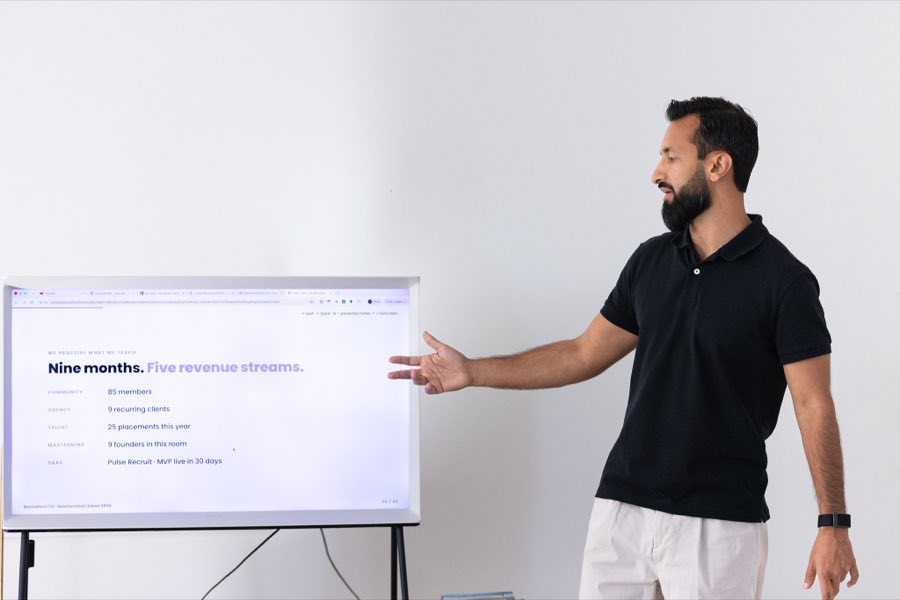
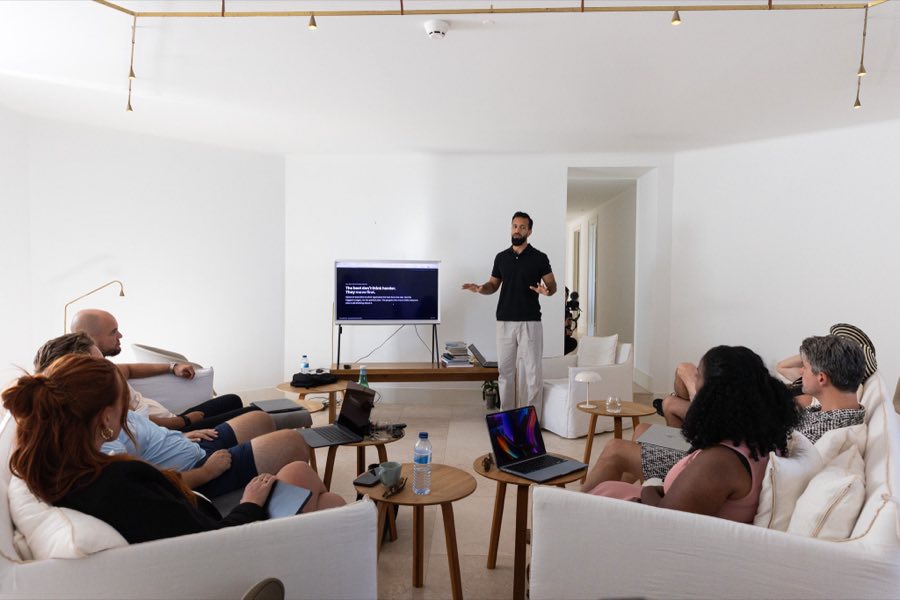

The RecruiterGTM mastermind in Lisbon. The systems in this session are the ones we install in that room.
Key takeaways
- Most recruitment automation runs on subscriptions you rent. Small, single-purpose tools are now cheap enough to build and own outright.
- The build only stays an afternoon if the tool obeys five limits: one job, one screen, no login, no database, no API key.
- I built three working tools in a day on 30 September 2026. All three are live and you can open them right now without signing up.
- Building beats buying for narrow, branded, data-sensitive jobs. Buying still wins for your ATS, your CRM and anything that has to sync between people.
- The real cost is deciding precisely what the tool should do.
What is recruitment automation, and what changed in 2026?
Recruitment automation is any system that removes manual steps from sourcing, screening, outreach or admin. Until recently it meant buying software, because building it needed a developer. What changed is the cost of the smallest category: a tool that does one narrow job for one person now takes an afternoon to describe rather than a quarter to commission.
That distinction matters because most of what a recruiter pays for monthly is not an ATS. It is the ring of small tools bolted around it: a CV reformatter, a fee calculator, a tracker. Each is modest software solving one specific problem, and each carries a subscription that renews whether you open it or not.
I have audited more than 650 recruitment agencies over the past three years. The pattern is consistent: the core system is usually reasonable, and the money leaks through the accessories.
Count your own tool stack
Leave out your ATS and your CRM. Count the accessories: a CV formatter, a fee calculator, an interview scorecard, a tracker. Move the two sliders to your own numbers.
Work it out live
Which recruitment automation should you build, and which should you buy?
Build when the tool does one narrow job, holds no shared state, and needs to carry your branding. Buy when several people depend on the same record at the same time, when the data must persist for years, or when compliance sits on top of it. The test is whether anyone else needs to see the same screen as you.
| Job | Build or buy | Why |
|---|---|---|
| ATS and candidate database | Buy | Multi-user, years of records, compliance obligations |
| CRM and pipeline | Buy | Shared state across a team, integrations you did not write |
| Email sending and deliverability | Buy | Warm-up, reputation and inbox placement are not a weekend project |
| CV reformatting into your branding | Build | One job, one screen, and candidate data never has to leave your machine |
| Fee, margin and rate calculators | Build | Pure arithmetic in your own commercial terms |
| Interview scorecards | Build | Your criteria, your output format, no shared state |
| Boolean string builders | Build | Personal, fast, and no vendor understands your niche |
| Small trackers and boards | Build | You are the only user, so a login is dead weight |
The five that keep a first build to an afternoon are worth stating plainly: one job, one screen, no login, no database, no API key. They are the shape of the build that gets finished, and the detail below sets out where you take it once that one is working.
Keeping those limits also answers the question a client will eventually ask about data protection. A tool with no server and no database cannot send a CV anywhere, because there is nowhere for it to go.
The decider
Think of the tool you most want to replace, then tick every limit it can live with.
All five limits hold, so there is no server, no account system and no bill. Describe it to Claude, point it at your brand.json, and you have a working version today.
Start with the five that keep the first one to an afternoon
This is the on-ramp, not the ceiling. Keep these five and your first build gets finished today. The ones people abandon broke one of them.
It does a single thing. Not a suite, not a platform, not “and it could also”.
No menus, no pages, no navigation. You open it and everything is there.
No accounts, no passwords, no users to manage. That alone is half the work gone.
It saves in your browser. Nothing to host, nothing to back up, nothing to breach.
Nothing to pay per use, nothing to rotate, no bill that grows while you sleep.
Keep all five and a candidate’s CV never leaves your machine. That is your answer when a client asks you about data protection.
Build the first one today, then build anything after that
Nobody is telling you to stay in a one-page tool forever. The five above are the shape of the first build, the one that actually gets finished. Where you take it next is a choice between three routes, and you are not picking one of them for good.
The second one takes an afternoon because you already know the shape. Add the login, the database or the live feed when the job genuinely needs it.
Most people start here
We install the bigger builds: live data, shared records, your ATS connected, and the Claude Ops Manager running the whole thing around it.
When it outgrows an afternoon
The person on your team who already knows your process. Give them Claude and they own it.
If you already have the person
Start at route 1 this week and move when the work asks you to.
What does building your own recruitment automation actually cost?
One required purchase: a paid Claude plan. The free tier will not carry a build of this length and stops halfway through, which costs you the thread rather than money. Everything else is free or close to it, and hosting a tool for your own internal use costs nothing at all.
| What | Cost | Why |
|---|---|---|
| A paid Claude plan | Required | The free tier stops halfway through a build of this length |
| Building it | An afternoon | You describe it, it writes it, you say what is wrong, it fixes it |
| Hosting, internal or testing | Nothing | Vercel's Hobby plan covers personal and internal use |
| Hosting on your commercial site | Their paid plan | Check Vercel's pricing page for the current figure |
| Running it | Nothing | No API key means no per-use bill |
| Storing the data | Nothing | It saves in the browser, so there is no database to protect |
| Deciding what it should do | The expensive part | This is where the time goes |
Two practical warnings. Vercel’s free plan is called Hobby and is meant for personal and internal use, so a public tool on your commercial website belongs on their paid plan. And deployment protection is switched on by default, which means your live address will ask visitors for a login until you turn it off. All three of my tools did exactly that until I found the setting.
Which three did I build, and can I see them?
On 30 September 2026 I built three working recruitment automation tools in a single day and put all three online. They are live, they need no sign-up, and nothing you put into them is uploaded anywhere. Hosting cost nothing, because none of them has a server or a database to pay for.
A CV reformatter at recruitergtm-cv.vercel.app. Drop in a PDF or a Word CV and it returns a one-page profile in your colours, with a switch that removes the candidate’s name, email and phone for speculative sends. Reading the file happens in the browser tab, so the CV never reaches a server.
A tool for marketing your most placeable candidate at recruitergtm-mpc.vercel.app. Upload a candidate’s CV and it pulls out the tools they actually run, builds the redacted one-pager, then ranks the ten agencies in your target list worth pitching them to, with the reason for each and the outreach message already written.
A content calendar at recruitergtm-calendar.vercel.app. It proposes five topics for the week from the gaps in your own plan, you approve the ones you like, and each gets a date on a four-week grid.
A useful detail for anyone about to try this: the hard part was never the design. The CV reformatter’s first version turned “qualified” into “quali fi ed”, because a PDF does not hand you lines of text. It hands you a thousand fragments with coordinates, and ligatures arrive as separate pieces. Joining them naively breaks words. Knowing to warn the model about that specific trap is the difference between a demo and a tool you would send to a client.
Every resource from the session
These are the same prompts I ran on screen, not a summary of them. Each one includes the trap that broke my first version, which is most of why they are worth having. No email required.
Your branding, answered once
Answer five questions and Claude writes them into brand.json: your agency name, your brand colour as a hex code, your logo file, your font, and your sign-off word for word. Every app you build after that reads the same file and never asks you again.
Putting it online in four commands
Make a free Vercel account, run npm i -g vercel, type vercel from your app folder, then vercel --prod for the finished version. Vercel’s free Hobby plan is meant for personal and internal use, so a tool sitting on your commercial website belongs on their paid plan. Check their pricing page for the current figure.
What are ten recruitment automation tools you can build yourself?
Ten that each take an afternoon: a signals monitor, a mini ATS, a Boolean string builder, a fee and margin calculator, a CV-against-the-spec checker, a job ad checker, an interview scorecard, an availability board, a billings tracker and an interview time finder. Each one obeys the five limits above, which is what keeps it to an afternoon rather than a lost month.
Signals monitor
Import the week's job ads, funding notes and people moves, match them against your target accounts, and it tells you the five worth calling on Monday. The monitoring stays manual; the scoring and the prioritising do not.
Mini ATS
Candidates, stages, notes, next action. Useful precisely because there is no login between you and it, which is also why it suits a solo operator rather than a team.
Boolean string builder
Job title, must-haves, nice-to-haves and location in; ready strings out for LinkedIn, Google X-ray and your job boards. No vendor knows your niche vocabulary better than you do.
Fee and margin calculator
Salary, percentage, split and rebate for permanent roles. Pay rate, charge rate and margin per hour for contract. Your commercial terms, not a generic template.
CV against the job spec
Paste both and it shows which requirements the CV evidences and which it does not, so you close the gaps before you submit rather than after the client points them out.
Job ad checker
Flags the gendered wording, the jargon, the missing salary and the 900-word wall before your client posts it.
Interview scorecard generator
Builds a custom scorecard for each candidate from the job spec and their CV, so you are scoring against that role instead of a generic template.
Assessment checker
Review a candidate’s submitted work or task against what the role actually needs, with the gaps written out, before you give the client a view.
Custom booking tool
Your own booking page instead of renting one, and it can play your intro video before the candidate or client joins the call.
Candidate data refresher
Connects to your ATS and updates the records that have gone stale. This one needs live access, so it is the step up from an afternoon build.
Nine of these obey the five and get finished in one sitting. The tenth talks to your ATS, which means live access and a password, so it is the step up. That is not a reason to avoid it, it is the point at which you either learn the next piece yourself or bring in help.
Where does buying still beat building?
Buying wins wherever other people depend on the same data. An ATS holds years of candidate records that several people read and write at once, under retention rules you do not want to implement yourself. A CRM syncs to tools you did not build. Email sending depends on warm-up and inbox reputation that no weekend project will replicate.
Across 50+ OutboundOS deployments and 20+ SourcingOS deployments, the pattern that works is a bought core with built accessories around it, and the stack itself does not change. The core earns its subscription. The accessories mostly do not, and those are the ones now worth owning outright.
More on the operating side in our recruitment agency management guide, and on the Claude setup underneath it at Claude Code for recruiters.
Related reading: the recruitment automation mistakes that cost agencies the most, the best AI tools for recruitment agencies, and a worked example of a system beating a tool in how Patrick hit 2M LinkedIn impressions in 90 days.
The 100th member giveaway
One recruitment business gets the whole engine, free
RecruiterGTM is about to reach its 100th member. Instead of running a discount, I am giving one recruitment business the complete AI-Native Recruiter engine, built for them exactly the way we build it for paying members. Bought as four separate parts it would cost $6,890.
- An Ops Manager that runs your whole business from one place, set up for your niche and trained to write like you.
- Your market mapped, with tomorrow’s outreach ready for you to approve and the decision makers already on it.
- Your AEO playbook built, your first 3 blog posts drafted, and the Claude skill that keeps posting them.
- Twelve months with my team: the RecruiterGTM System course, Q&A calls every Wednesday and Friday, a 60-minute roadmap call with me, and 5 one-to-one calls with my team.
All I want back is the story. We film the build, we publish what happens, and it becomes our case study. That is the deal.
To enter, book a fifteen-minute audit call. We go through your niche, what you have running now, and what you would want built first. I run these calls myself and the pool is small, so if we are not a fit I will tell you on the call. The last call goes in the diary on Friday 9 October and I announce the winner on Monday 12 October. Refer another recruitment agency owner and if they win, you win it too.
Book the audit call →Frequently asked questions
What are the best automation tools for recruitment?
For the core of your operation, buy: an ATS, a CRM and a dedicated email sending platform. For the narrow jobs around that core, the better answer in 2026 is often to build. A CV reformatter, a fee calculator, an interview scorecard and a tracker are each an afternoon of work and carry no subscription.
Can I really build recruitment software without knowing how to code?
You can build small, single-purpose tools without writing code yourself, provided you can describe precisely what you want and test what comes back. You specify what you want and check what comes back, and the tool writes the code. Anything multi-user, permanent or compliance-bound still needs a developer.
Is it safe to put candidate CVs into a tool I built?
It is safer than most alternatives if the tool has no server, no database and no upload, because the file is read in the browser tab and never transmitted. That is exactly why the five limits matter. Verify it by checking the tool makes no network request with the file.
What is the difference between recruitment automation software and a tool I build?
Bought recruitment automation software is general, multi-user and maintained for you, with a monthly fee. A tool you build is narrow, single-user and yours outright, with no ongoing cost and no maintenance contract. They solve different sizes of problem, and most agencies need both.
How long does it take to build one?
An afternoon per tool, provided it obeys the five limits: one job, one screen, no login, no database, no API key. I built three in a day, and the longest part of each was describing precisely what I wanted before starting.